Category: else

A fun way to incorporate anything outside the listed categories. It’s a nod to a conditional statement where if a statement is true, proceed to an executable command, or do something . . . else.

  • 2025

    2025

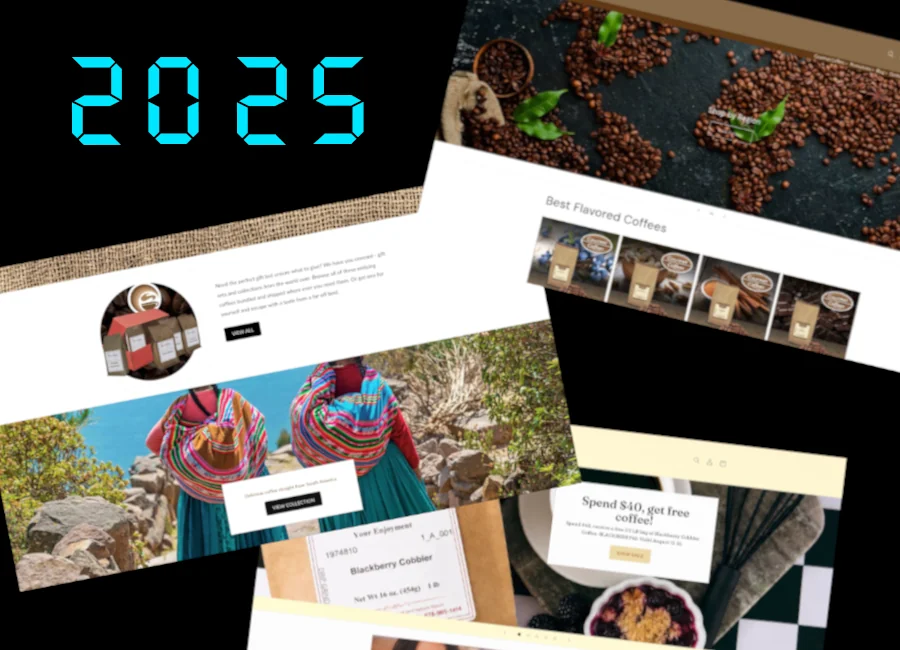
    After launching three eCommerce websites on Shopify in April, I was laid off when CoffeeAm was sold to a company in Colorado. Those three sites were over a year’s work and over a thousand product graphics made in .GIMP. And that came after a vacation with my family. This is the life of a marketer – always vulnerable in a lay off.

    The good news is I was scooped up by a local manufacturer that produces outdoor displays. All their displays are high-end and engineered to withstand just about any thing thrown at them. But please don’t throw things at our displays. The company has over 25 thousand displays shipped in countries all over the planet.

    I was hired to create and maintain their social media accounts and push their marketing online through Linkedin, Facebook, Twitter, and Instagram. There are two brands – BoldVu and MRI. MRI is a bit tricky as there is an ocean of content already bearing that term. After getting that off the ground and establishing a pattern of posts I turned my focus on their sites.

    The first site was set up with a proprietary theme hosted on WP Engine. The walled off theme replaced the Gutenberg block system with it’s own so I replaced the theme with a child theme of Frost; a free theme from WP Engine. The second I built in the spring of 2026 using a the same approach with Frost. Both are up and available on BoldVu.com and MRI-Inc.net.

    Up until 2026, I was using AI as a jump start on content and as assistance with large blocks of code. At MRI, I’m leaning into it by build a whole suite of WordPress plugins. It also batch processes large sets of images – cropping, color adjustments, exposure, and a bit of filling in. The filling in works like the stamp tool but it just isn’t as good as manually adding edge filler in GIMP.

    2025 was a year I dedicated to leaving Microsoft Windows and Adobe in favor for open source. So, now I’m running fully on Pop!_OS, Pulsar, Shotcut, OBS Studio, Android Studio (for Flutter), GIMP, Blender, and Figma or Inkscape. I’m almost completely off print work but I did have a client request a simple poster in June.

    Also, I moved everything I could off of AWS. We’re done with that. The pricing was too complicated – hidden costs in “free” services that turned out to not be free. I’m now hosting three sites and an app (gunicorn+flask) which is turned off and costs nothing, all on Digital Ocean. The prices is less than half of what I was paying.
  • ChatGPT

    ChatGPT

    Let’s talk LLM and ChatGPT! I’ve been using it for almost two years and I’ve found a limit or a small hurdle that is easily fixed. I recently upgraded to premium to use the GPT-40 model and have unlimited access (no waiting periods) so I could collaborate on a software project. Along the journey I had some bumps as there are limits to what it can and can not do. Given it will try to extract a response based on the information widely available on the internet, it also provides bad information. I learned this lesson more than once and loosing an operating system is a big deal. Not as big of a deal when the OS is Windows though – wink!

    While trying to trouble shoot a faulty wifi adapter (and by faulty – I mean it wasn’t a good match for Linux) I eventually gave up after (roughly) 35 hours of trouble shooting the settings of the network manager, power settings, and the driver for the hardware all while connecting and disconnecting my cell phone for internet access. Giving up, for me, doesn’t mean lying in bed and crying into my pillow. Whether I did that or not will remain confidential. Giving up just meant going to Micro Center and buying one that has better support for Linux.

    It was remarkably faster trouble shooting after I got the new hardware. Problem fixed, but a lot of time wasted. I will give you the set backs here to, hopefully, help you on your journey.

    1. You can get upset and use expletives with ChatGPT. I don’t like doing it – quite the opposite, but it can handle a tantrum or two. So go for it, let it out. There’s no consequences. You’ll get a sympathetic or rosy response and possibly help you subconsciously. Please note I’ve had no psychiatric training – I just have a hunch here.

    2. ChatGPT knows everything you don’t.

    3. You can ask ChatGPT to provide suggestions on creative ideas, such as naming something. You can also pass parameters such as “singular words,” “words that start with __,” “words relating to the circus,” etc. ChatGPT will take a few moments and then spit out a list and it’s great at this task.

    4. ChatGPT knows everything you don’t. I’m aware of the repetitiveness – it’s a good thing.

    5. You can even re-name ChatGPT, like I did. “He” is now known as “Chad” because I wasn’t feeling very creative at that moment. It works.

    6. ChatGPT knows SO much more than you do. That’s not a swipe at your ego – it’s a beautiful fact when you embrace it and then “get past it” and start using it.

    7. Oh, are you an SME? Are you a doctor or master of something? Yeah, so is ChatGPT. After taking courses online to teach myself .dart and Flutter, ChatGPT knows more than I do. More importantly, it’s more than happy to do a lot of the heaving lifting and can not only provide code solutions to my prompts, it will help me troubleshoot and fix bugs I create or introduce into the code base.

    8. Want to share a file with it and have it give you suggestions? Yep, it can do that too. I can copy/paste a screen, class, or function and ChatGPT will run with it. Tell it to reconfigure something and away it goes. It’s mind-blowing, even after a month of development using it to create a program.

    9. This one is important! Even with my upgraded account, the memory can fill up and you’ll hit a brick wall eventually. I was frustrated as it would just sit there after I asked it a question. I eventually came to the hypothesis that it was memory – something that pops up when you ask it to remember something – so I opened a new chat in a separate browser and there wasn’t a problem. So I looked into and eventually found a way to wipe it’s memory. Which I caution you, it will forget A LOT after you do this. But you’ll be able to talk to your new friend again.

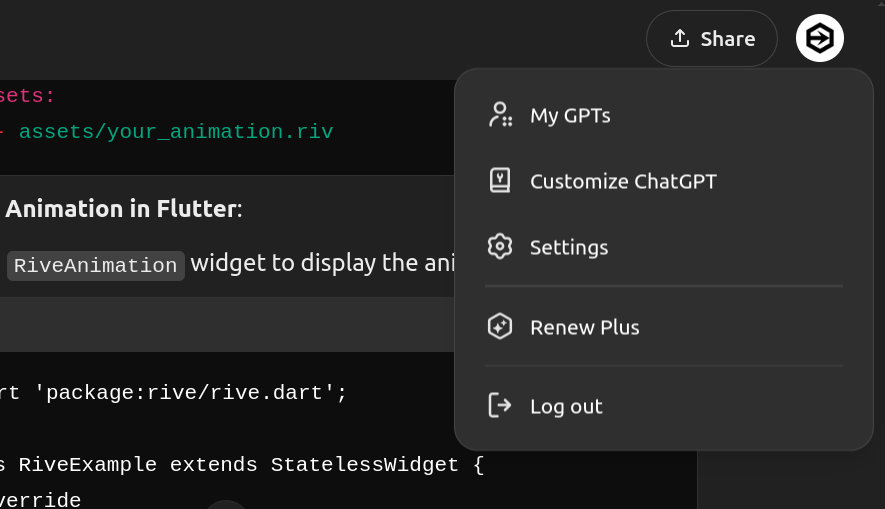
    So here’s how to clear out your ChatGPT memory – again I caution you to be aware of the results. First, make sure you’re in the account you want to be in, which is probably the default. Then you’ll want to click on your profile avatar in the upper right hand corner.

    A dark grey / black background with a menu and text window - for instructional purposes

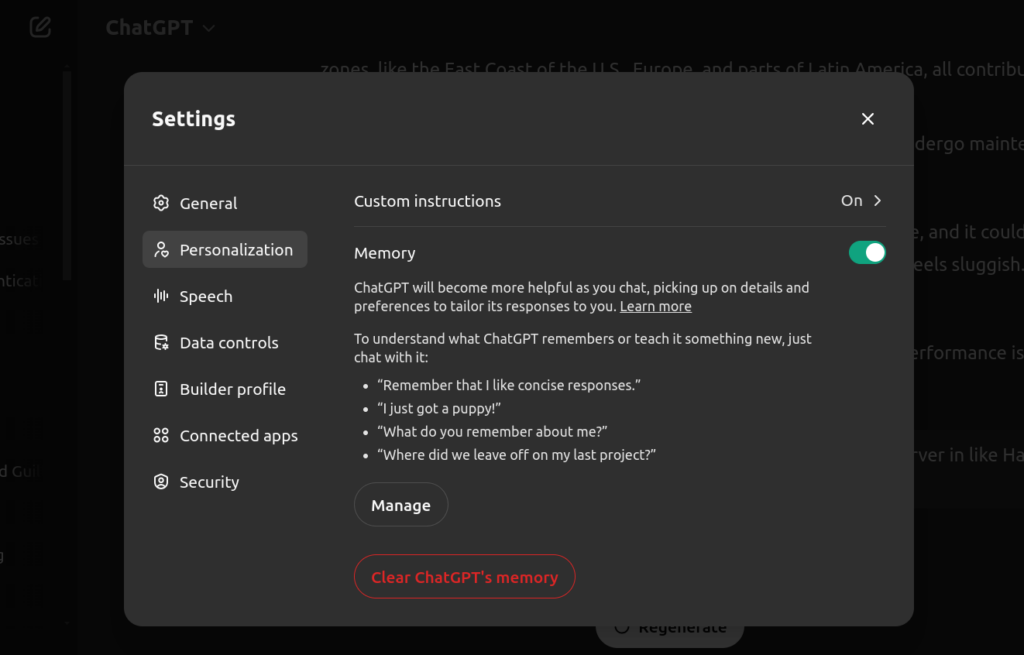
    You’ll want to click on “Settings,” which will bring you to another window which you’ll select “Personalization.” There are some other options, but what you’re looking for is at the bottom and is in red text which should indicate, “Whoa there, partner! You sure?” – click it.

    A dark grey / black background with a menu and text window - personalization for ChatGPT - for instructional purposes

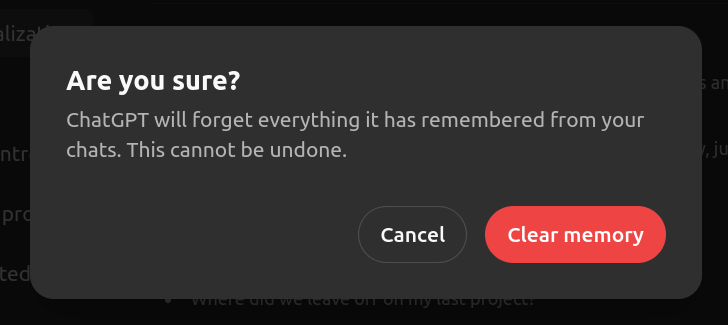
    Finally you’ll get the confirmation window which will actually execute your command to clear out the memory.

    A dark grey / black background with a menu and text window - Are you sure prompt / warning - for instructional purposes

    This should give you back the ability to query and interact with ChatGPT after a few moments. Just remember, clearing out the memory in non-reversable and will clear out the cache which ChatGPT uses to quickly access content you’ve discussed. The chats you’ve had in the past will still be on the left hand side, but ChatGPT won’t know anything about them. Hope this helps!